
Plan your day
How to spread your energy across a full desk day
Most of us hit predictable slumps when the work no longer matches how alert we feel. This page is a simple day plan you can print for a team talk or keep on your phone. It assumes about eight hours with a lunch break—a common pattern in New Zealand offices, though your roster may differ.
Put your freshest hours on important work, bunch meetings when you still have patience, and save lighter admin for when you naturally slow down. This does not replace your employment agreement, union rules, or health services at work.
On night shifts, split shifts, or on-call work, adapt the times loosely. Match hard tasks to the hours when you personally feel most alert—you learn that by watching your own week.


Example timetable
One way to order your tasks from start to finish
From about 8:30 to 10:00, many people can still read or write demanding material before interruptions pile up. Use that time for one task that really moves work forward—not for clearing every ping. From 10:00 to midday, switch to shorter jobs: approvals, quick calls, and tidy-ups.
Lunch is a reset, not lost time. Walk if you can, especially after a sedentary morning. Early afternoon suits steady work—spreadsheets, tickets, routine email. Mid-afternoon is good for planning tomorrow and noting decisions. In the last half hour, file things away, write a short handover, and avoid starting brand-new tasks that will follow you home.
| Window | Suggested mode | Example tasks |
|---|---|---|
| 08:30–10:00 | Focus work | Outline a report, model a scenario, review a contract appendix. |
| 10:15–12:00 | Team time | Stand-ups, paired edits, stakeholder check-ins. |
| 13:00–15:00 | Steady work | Data entry, policy updates, batch email. |
| 15:15–16:45 | Wrap-up | Risk log, calendar hygiene, prep for tomorrow’s anchor task. |
Techniques
Small tricks that support the plan
Task batching. Batch similar tasks so you are not jumping between deep writing and instant chat all day. Switching costs add up.
Timer honesty. If you give yourself twenty minutes on a task, set a timer. When it rings, choose to continue or stop on purpose—open-ended sprints often end in exhaustion.
Environmental nudges. Headphones can politely mean "focus time" in a shared office. At home, a closed door or a lamp that only goes on during work can help family know you are busy.
Team check-in. If your team uses a shared plan, review it monthly. Projects change; a February plan may be wrong by May.
Staying safe
Use the plan safely
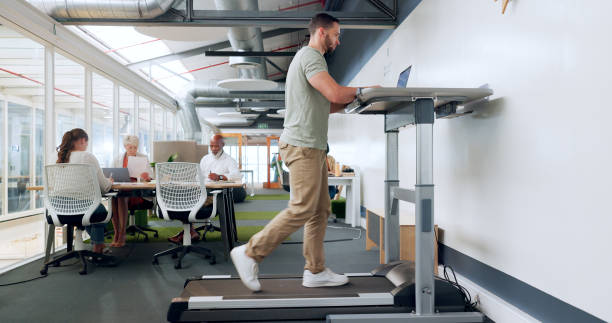
If your plan includes walking meetings, confirm routes are safe, especially near service yards or carpark exits. Indoors, watch for cables and wet floors. When suggesting standing work, ensure mats and footwear are appropriate and that people can still sit if they experience pain or swelling.
Unrealistic deadlines and always-on messaging can wreck even good personal habits. If workload makes this plan impossible, talk to your manager or HR. A personal timetable cannot fix understaffing.
- Adjust lighting and contrast before blaming “tired eyes” on yourself.
- Keep fire exits clear even when rearranging desks for collaboration.
- Report near misses; they predict future injuries.

FAQs
Common questions about this page
Can I print this for a team session?
Yes for internal education. Keep attribution to Brightgrowbones.site and avoid implying endorsement from a medical authority.
What if my day is interrupted by caregiving?
Use the map as a loose checklist rather than a rigid clock. Even one protected block per day can help maintain momentum.
Does this cover union roster rules?
No. Always follow your collective agreement and local policies first.
Return to the sessions list on the homepage if you want to join a guided session.